
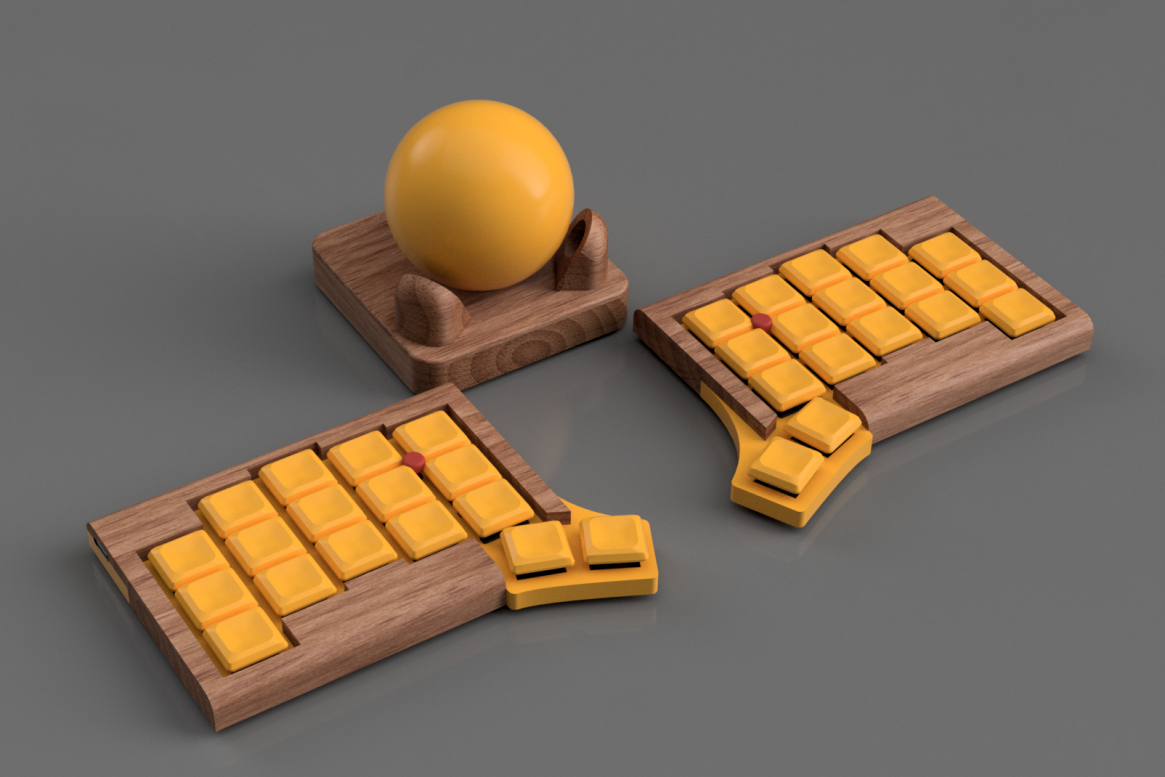
We’re excited to share the release of Atlas, our custom split keyboard project. Atlas isn’t just another keyboard — it combines ergonomics with integrated pointing devices, giving you more control without ever leaving the home row.
Why We Built It
The idea started with frustration: using a typical Bluetooth HTPC keyboard with a built-in trackpad was… horrible. Cramped layouts, awkward pointing, and a design that never felt right.
So we asked: what if a keyboard could handle typing and precise pointing seamlessly? The result is Atlas — a split keyboard with dual TrackPoints and an optional central trackball, designed to feel natural whether you’re at a desk or on the couch.
Key Features
- Split layout: two halves you can position for comfort and posture.
- Dual TrackPoints: one on each side, so both hands get direct control of the pointer.
- Optional Trackball: mounted centrally, for those who prefer ball-based navigation or want to mix input methods.
What’s Inside the Repo
The Atlas repository includes:
- PCB design files for the keyboard and pointing modules
- 3D printable parts (cases, mounts, trackball housing)
- Firmware setup with support for TrackPoints and the optional trackball
- Step-by-step build instructions and parts list
Please note: the repo is still experimental. Things may change, break, or improve rapidly — and any help, feedback, or contributions are greatly appreciated.
Try It Yourself
The Atlas repo is now live. Whether you want to build your own, get inspired for your own custom keyboard, or just explore how it works — it’s all there.
We can’t wait to see what the community does with Atlas. If you put one together, let us know — we’d love to see your builds and hear your feedback.
Leave a Reply